
How do I access TMdesk?
To access TMdesk, please visit tmdesk.co.uk
Who manages my TMdesk account?
Each organization has a company administrator who creates and maintains user accounts. They handle access, updates, and removals.
Resetting your password.
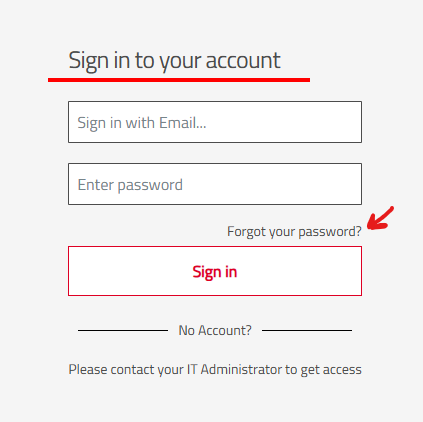
Use the "Forgot your password?" link on the login page, enter your email, follow the instructions in the reset email, and choose a new password.
Changing your email address.
In the first instance, please contact your company administrator to update your account if your work email changes.
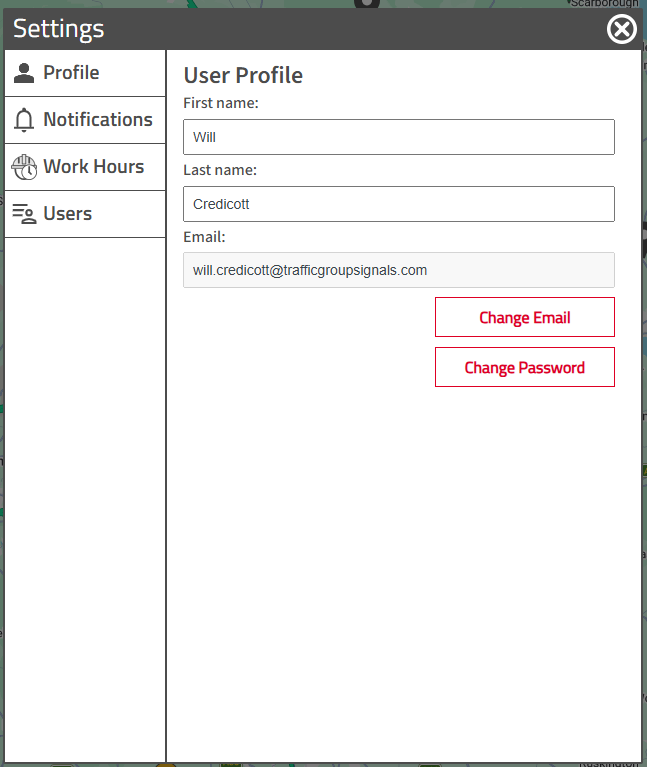
You can also update your email and password within the User Settings.
Getting access to TMdesk.
If you don't have an account, ask your company administrator to create one for you.
Keeping your account secure.
Keep your password confidential, use a strong password, don't share your login, sign out on shared devices.
Need help?
Contact your company administrator, who can escalate to TGS support if needed.